 ID
ID  EN
EN  RU
RU  ES
ES  FR
FR  AR
AR  PT
PT  IT
IT  KO
KO  TR
TR  DE
DE  VN
VN  TH
TH  IN
IN  JA
JA  ZH
ZH  MS
MS 
Bayangkan dua potongan puzzle yang dipotong sedemikian rupa sehingga pas persis dari tepi ke tepi. Di atas meja, keduanya sejajar dengan sempurna. Namun, jika meja bergeser hanya sepersekian milimeter saja, celah di antara keduanya menjadi terlihat dan gambar pun terputus. Itulah masalah yang diatasi oleh teknik trapping dalam dunia percetakan.
Setiap pekerjaan cetak beraneka warna melibatkan beberapa pelat, saringan, atau stasiun cetak yang mengaplikasikan warna-warna berbeda dalam tahap-tahap terpisah. Tak ada mesin cetak di dunia ini yang mampu mencapai registrasi sempurna sepanjang seluruh proses pencetakan. Teknik “trapping”—yaitu menciptakan tumpang tindih kecil yang disengaja antara warna-warna yang berdekatan—mencegah pergeseran registrasi yang tak terhindarkan itu berubah menjadi celah putih yang terlihat pada hasil cetakan akhir. Ini bukanlah hiasan desain. Ini adalah keterampilan bertahan hidup dalam proses produksi.
Panduan ini membahas proses penangkapan mulai dari prinsip dasar hingga standar khusus proses, lengkap dengan perbandingan lintas proses yang tidak akan Anda temukan di tempat lain dalam satu halaman. Baik Anda mengoperasikan mesin cetak flexo, mengelola tahap pra-cetak untuk cetak offset, atau mengevaluasi mesin untuk lini produksi kemasan, panduan ini ditulis khusus untuk Anda.
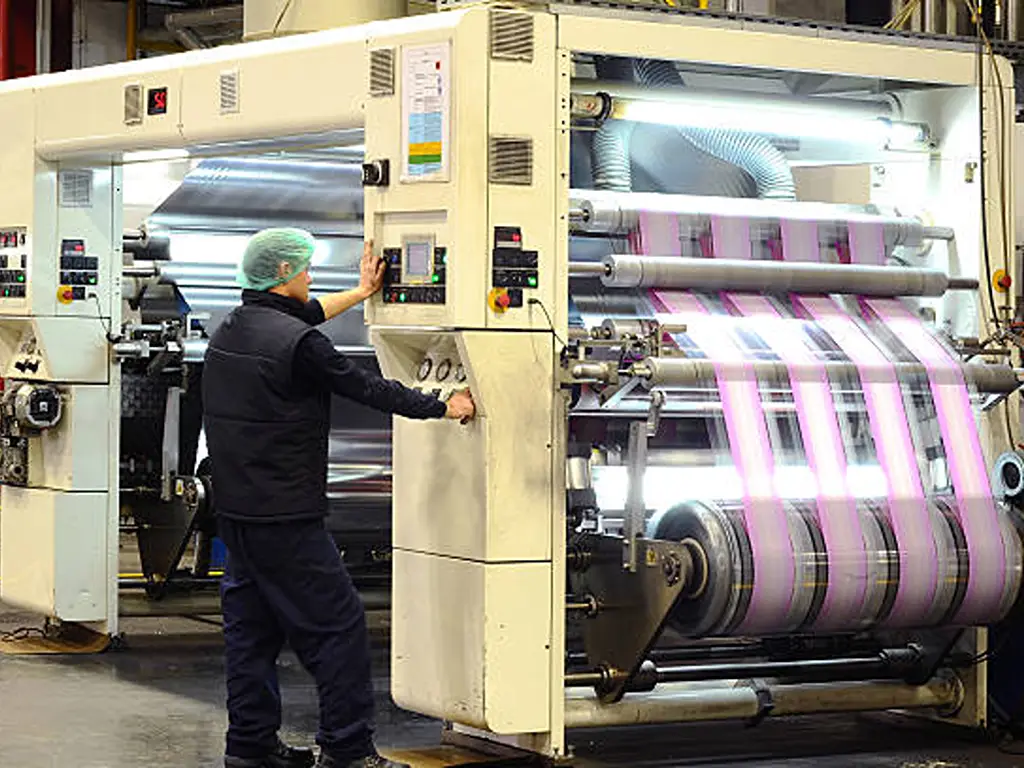
Apa Itu Trapping dalam Percetakan?
Trapping (juga dikenal sebagai color trapping, spreads, dan chokes dalam terminologi pra-cetak Tiongkok) adalah teknik pra-cetak yang menciptakan tumpang tindih kecil yang disengaja antara dua warna yang berdekatan dalam tata letak cetak. Tujuan utamanya: untuk mencegah munculnya celah putih yang tidak sedap dipandang, yang disebut “flashes” atau “halos”, di batas-batas warna ketika mesin cetak tak terhindarkan mengalami pergeseran dari registrasi yang sempurna.
Untuk memahami mengapa teknik trapping diperlukan, Anda perlu memahami kebalikannya: teknik knockout. Dalam pencetakan multicolor, ketika objek latar depan (misalnya, teks kuning) berada di atas latar belakang berwarna (misalnya, biru tua), latar belakang tersebut tidak dicetak sebagai persegi panjang solid di bawah teks. Sebaliknya, sebuah “lubang” yang bentuknya persis sama dengan teks dipotong dari pelat latar belakang. Inilah yang disebut teknik knockout. Teks kuning tersebut kemudian dicetak ke dalam lubang itu. Secara teori, warna kuning mengisi lubang tersebut dengan sempurna. Namun dalam praktiknya, pelat kuning dan pelat biru hampir tidak pernah sejajar hingga tingkat mikron. Hasilnya: celah putih tipis di mana kertas terlihat menembus di antara kedua warna tersebut.
Teknik trapping mengatasi hal ini dengan memperbesar sedikit area latar depan (spread) atau memperkecil sedikit lubang potong (choke), sehingga kedua warna tersebut saling tumpang tindih sejauh sepersekian milimeter. Tumpang tindih ini memastikan bahwa meskipun terjadi pergeseran registrasi, tidak akan muncul celah putih, karena memang sejak awal tidak ada celah sama sekali. Tumpang tindih itu sendiri biasanya tidak terlihat oleh mata telanjang, dan hal ini disebabkan oleh satu alasan yang konsisten: warna yang lebih terang selalu meluas ke arah warna yang lebih gelap.
Ini bukanlah penemuan era digital. Teknik trapping telah ada sejak awal mula percetakan berwarna, mulai dari mesin litografi paling awal hingga lini produksi fleksografi dan gravure berkecepatan tinggi saat ini. Yang berubah adalah siapa yang melakukannya, bagaimana caranya, dan seberapa besar prosesnya diotomatisasi. Yang tidak berubah adalah mengapa hal ini penting: percetakan adalah proses fisik, dan proses fisik tidak pernah sempurna.
Mengapa Pendaftaran Cetak Gagal? Masalah yang Dapat Diatasi dengan Trapping
Sebelum Anda dapat melakukan penyesuaian warna secara tepat, Anda perlu memahami apa yang menjadi masalah yang ingin Anda atasi. Ketidaktepatan registrasi—yaitu kegagalan pemisahan warna untuk sejajar secara tepat—memiliki tiga kelompok penyebab. Tak satu pun dari penyebab tersebut dapat dihilangkan sepenuhnya; yang bisa dilakukan hanyalah meminimalkan dan mengkompensasinya.
Ketidakstabilan Substrat
Kertas dan film bukanlah bahan yang inert. Kertas akan mengembang dan menyusut seiring perubahan kelembapan. Perubahan kelembapan relatif lingkungan sebesar 10% dapat menyebabkan selembar kertas offset mengembang atau menyusut sebesar 0,1 hingga 0,3 mm pada lebarnya. Hal ini sudah cukup untuk menimbulkan celah yang terlihat di antara warna-warna yang semula sejajar sempurna dalam berkas digital. Dalam pencetakan fleksografis pada film polimer tipis (PE, PP, PET), situasinya lebih parah: tegangan gulungan saja dapat meregangkan substrat sebesar 1% hingga 2% selama proses pencetakan. Pada lebar gulungan 1.000 mm, hal ini berarti terjadi perubahan dimensi hingga 20 mm antara stasiun cetak pertama dan terakhir. Tidak ada strategi trapping yang dapat sepenuhnya menyerap distorsi sebesar itu, tetapi lebar trapping yang tepat dapat mengatasi kesalahan registrasi sisa setelah pengendalian tegangan telah bekerja secara optimal.
Suhu memperparah masalah ini. Panas dari sistem pengeringan, gesekan dari rol, dan bahkan fluktuasi suhu lingkungan di ruang cetak selama satu shift kerja semuanya berkontribusi terhadap pergerakan substrat. Sebuah gulungan film yang dicetak pada pukul 08.00 mungkin menunjukkan hasil yang berbeda dibandingkan gulungan yang sama yang dicetak pada pukul 14.00.
Variasi Mekanis
Setiap mesin cetak memiliki toleransi mekanis. Silinder pelat memiliki runout. Roda gigi memiliki backlash. Bantalan mengalami keausan. Tekanan cetak bervariasi di sepanjang lebar silinder. Pada proses offset, celah antara dua karet penekan (blanket-to-blanket nip) menimbulkan variabilitas tersendiri. Pada proses flexo, pita pemasangan pelat mengalami kompresi yang berbeda-beda tergantung pada usia, nilai durometer, dan operator yang memasangnya. Pada proses gravure, permukaan silinder yang dilapisi krom secara bertahap mengalami keausan, yang mengubah volume sel dan, dengan demikian, karakteristik transfer tinta.
Faktor-faktor mekanis ini menyebabkan kesalahan registrasi yang berkisar antara ±0,05 mm pada mesin cetak offset lembaran yang terawat dengan baik hingga ±0,2 mm atau lebih pada mesin cetak flexo tipe tumpukan yang sudah tua dan beroperasi pada kecepatan tinggi. Lebar trap harus dikalibrasi sesuai dengan mesin cetak yang bersangkutan, bukan hanya mengacu pada nilai yang tercantum dalam buku teks.
Perilaku Tinta
Tinta yang berbeda menunjukkan perilaku yang berbeda pula di bawah tekanan dan kecepatan mesin cetak produksi. Tinta berviskositas tinggi (seperti tinta putih pekat yang digunakan sebagai lapisan dasar dalam sablon) lebih meregangkan jaring sablon dibandingkan tinta proses berviskositas rendah, sehingga menyebabkan pergeseran registrasi yang semakin parah sepanjang proses pencetakan. Dalam proses offset basah-ke-basah, daya rekat tinta yang telah dicetak sebelumnya dapat menarik serat dari permukaan kertas atau bahkan “menangkap” tinta dari unit sebelumnya. Dalam proses gravure, laju pengeringan tinta berbasis pelarut memengaruhi dot gain dan, akibatnya, lebar trap yang terlihat.
Penggunaan teknik trapping bukanlah pengakuan bahwa mesin cetak Anda tidak mampu mempertahankan ketepatan registrasi. Hal ini merupakan pengakuan teknis bahwa tidak ada mesin cetak yang mampu mempertahankan ketepatan registrasi yang sempurna, dan langkah cerdas yang dapat diambil adalah merancang karya seni sedemikian rupa sehingga kesalahan registrasi kecil tidak terlihat, bukan malah menimbulkan masalah besar.
Mekanisme Utama: Penyebaran, Penyempitan, dan Pencetakan Tumpang Tindih
Jika kita mengupas teknik trapping hingga ke esensi mekanisnya, hanya ada tiga gerakan. Setiap keputusan trapping dalam setiap proses pencetakan merupakan variasi atau kombinasi dari ketiga gerakan tersebut. Seni dari teknik ini terletak pada kemampuan untuk mengetahui gerakan mana yang harus digunakan, ke arah mana, dan seberapa besar.
Sebelum membahas setiap teknik, pahami baik-baik prinsip utama yang menjadi pedoman bagi semuanya: warna yang lebih terang selalu berada di bagian yang tumpang tindih. Sistem penglihatan manusia mengenali tepi terutama melalui kontras kecerahan. Ketika batas bentuk gelap bergeser sejauh 0,1 mm, mata akan menyadarinya. Sebaliknya, ketika batas bentuk terang bergeser sejauh yang sama, hal itu tidak terdeteksi. Prinsip tunggal inilah yang menentukan arah perangkap dalam hampir semua skenario.
Berikut ini kerangka kerja pengambilan keputusan singkat: jika elemen yang lebih terang berada di latar depan, gunakan teknik “spread”. Jika elemen yang lebih terang berada di latar belakang, gunakan teknik “choke”. Jika salah satu warnanya hitam, pertimbangkan dengan matang untuk menggunakan teknik “overprint” sebelum mempertimbangkan opsi lain. Sisanya tinggal pelaksanaannya.
Penyebaran: Memperluas Warna yang Lebih Terang ke Arah Luar
Efek "spread" berfungsi persis seperti namanya: objek latar depan yang lebih terang sedikit diperbesar sehingga melampaui batas aslinya dan masuk ke latar belakang yang lebih gelap. Dalam istilah vektor, ini berarti menambahkan garis tepi pada objek latar depan, mengatur warna garis tepi tersebut agar sama dengan warna objek latar depan, dan mengaturnya agar dicetak di atas (overprint).
Skenario yang paling umum: teks kuning atau logo berwarna kuning yang berada di atas latar belakang biru tua atau hitam. Warna kuning merupakan warna yang lebih terang, sehingga tampak menyebar ke luar. Lebar trap (biasanya 0,08–0,16 mm untuk cetak offset atau 0,15–0,25 mm untuk cetak flexo) adalah ketebalan garis luar tak terlihat tersebut. Mata manusia lebih mudah memperhatikan celah putih yang memotong warna biru tua daripada sedikit penebalan pada bentuk berwarna terang, sehingga penyebaran tersebut tidak terlihat pada jarak pandang normal.
Dampak visualnya: zona tumpang tindih menjadi campuran kedua warna yang sedikit lebih gelap. Di bagian di mana warna kuning menyebar ke atas biru tua, tumpang tindih tersebut tampak memiliki nuansa kehijauan yang samar. Hal ini diatasi melalui pengurangan intensitas warna: dalam perangkat lunak trapping profesional, bagian yang tumpang tindih dari tinta yang lebih terang dicetak pada 40%-60% dari kepadatan penuhnya, bukan 100%, sehingga memudarkan pergeseran warna hingga tak lagi terlihat. Persentase pengurangan tint yang tepat bergantung pada set tinta, substrat, dan lebar trapping. Nilai-nilai ini dikalibrasi per pekerjaan, bukan ditetapkan sekali lalu dilupakan.
Parameter teknis yang menentukan arah penyebaran adalah nilai CIELAB L* (kecerahan) dari masing-masing tinta. Hal ini tidak sama dengan perkiraan visual Anda pada monitor yang belum dikalibrasi. Dua warna yang tampak memiliki kecerahan serupa jika dilihat dengan mata telanjang dapat memiliki nilai L* yang sangat berbeda saat diukur secara spektrofotometrik, dan perbedaan itulah yang menentukan arah penyebaran. Jika ragu, lakukan pengukuran.
Mengecilkan Latar Belakang untuk Melindungi Tepinya
Choke merupakan kebalikan dari spread. Alih-alih memperbesar objek di latar depan, Anda memperkecil lubang potongan di latar belakang sehingga objek latar depan yang lebih gelap sedikit melampaui lubang potongan yang dibuat untuknya. Hasil visualnya sama (warna yang lebih gelap menentukan tepinya), tetapi metodenya berbeda, dan dalam situasi tertentu, choke menghasilkan hasil yang lebih rapi daripada spread.
Skenario "choke" klasik: logo berwarna biru tua yang terletak di atas latar belakang putih atau sangat terang. Karena latar belakangnya berwarna lebih terang, logo tersebut mengalami efek "choke" ke arah dalam, sehingga lubang yang terbentuk menjadi sedikit lebih kecil daripada logo itu sendiri. Logo biru tua tersebut kemudian tumpang tindih dengan latar belakang putih sejauh lebar "trap", dan tepinya tetap tajam.
Dalam praktiknya, pilihan antara “spread” dan “choke” sering kali bergantung pada elemen mana yang lebih mudah dimodifikasi dalam karya seni. Jika latar depan yang gelap berupa ilustrasi kompleks dengan banyak jalur dan latar belakangnya berupa persegi panjang sederhana, menerapkan “choke” pada latar belakang jauh lebih mudah daripada menerapkan “spread” pada puluhan elemen latar depan secara terpisah. Nilai choke biasanya berkisar 0,02–0,05 mm lebih kecil daripada nilai spread yang setara untuk pekerjaan yang sama. Hal ini karena penyusutan latar belakang sedikit lebih mudah terdeteksi secara visual daripada perluasan latar depan. Mata lebih mudah memaafkan bentuk terang yang sedikit lebih besar dari yang diharapkan daripada latar belakang terang yang tampak “merayap” ke dalam di sekitar bentuk-bentuk gelap.
Satu hal khusus dalam proses flexo: ketika area solid gelap dicetak berdampingan dengan warna layar yang terang, fenomena “choke” mencegah tinta gelap merembes secara fisik ke dalam titik-titik layar di batas antara keduanya. Ini bukanlah masalah registrasi, melainkan masalah transfer tinta secara fisik, dan hal ini merupakan salah satu alasan mengapa trapping dalam proses flexo cenderung lebih memerlukan intervensi manual dibandingkan trapping dalam proses offset.
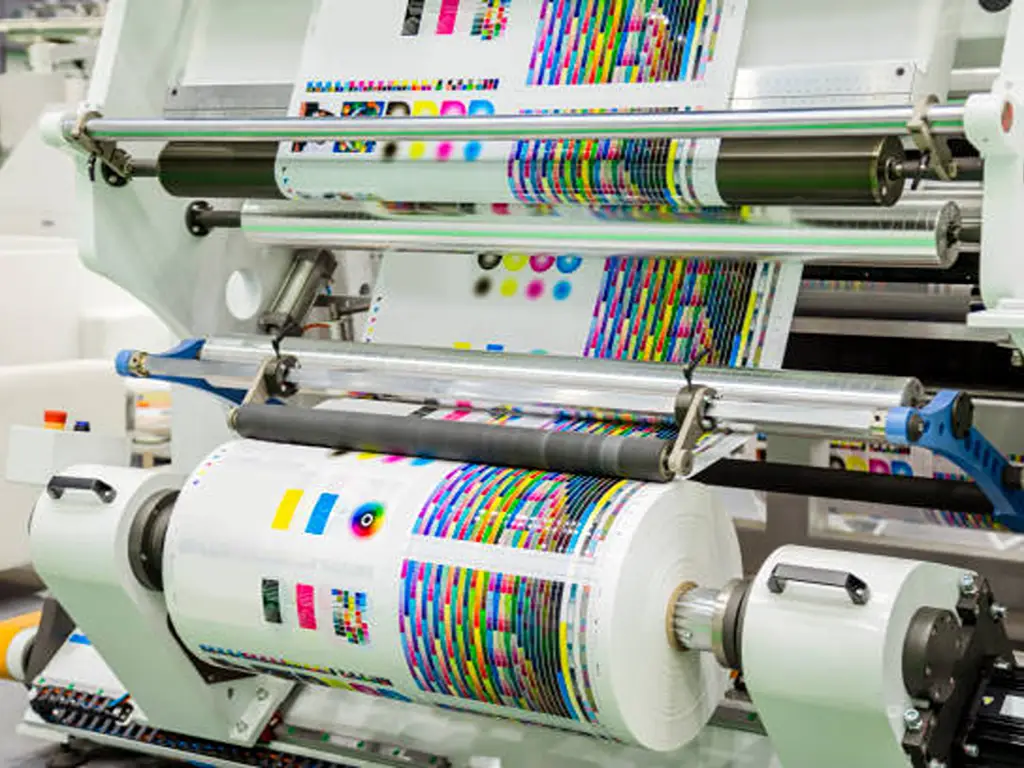
Pencetakan Tumpang Tindih Saat Dua Warna Tinta Menggunakan Ruang yang Sama
Overprint adalah teknik trapping yang paling sederhana dan, ironisnya, yang paling sering disalahgunakan. Alih-alih menciptakan zona tumpang tindih di batas, overprint justru menghilangkan batas tersebut sepenuhnya: satu tinta dicetak langsung di atas tinta lainnya, tanpa proses knockout pada warna di bawahnya.
Tinta hitam merupakan contoh klasik dari teknik overprint. Warna hitam cukup tidak tembus pandang untuk menyembunyikan apa pun yang ada di bawahnya, sehingga teks hitam dan ilustrasi garis hitam hampir selalu diatur ke mode overprint. Hal ini begitu umum sehingga sebagian besar aplikasi desain secara default menggunakan overprint untuk warna hitam, dan sebagian besar alur kerja RIP secara otomatis menerapkan overprint pada warna hitam 100% kecuali dikonfigurasi sebaliknya. Hasilnya: elemen hitam tidak pernah menghasilkan lubang knockout, sehingga tidak ada yang bisa mengalami ketidaksejajaran.
Zona berbahaya terjadi ketika para desainer atau alur kerja otomatis menerapkan teknik overprint pada elemen yang bukan berwarna hitam. Objek putih yang diatur untuk overprint pada latar belakang gelap akan menghilang sepenuhnya. Tinta putih tercetak, tetapi karena sifatnya yang tembus pandang, latar belakang gelap terlihat menembus dan objek putih tersebut menghilang saat dicetak. Objek berwarna kuning yang dicetak dengan teknik overprint di atas cyan akan menghasilkan warna hijau. Dua warna spot yang dicetak dengan teknik overprint akan menghasilkan warna ketiga yang tidak terduga dan tidak pernah ditentukan sebelumnya. Kesalahan-kesalahan ini termasuk yang paling mahal dalam tahap pra-cetak: kesalahan ini tidak terlihat di layar kecuali jika fitur Pratinjau Overprint diaktifkan secara eksplisit, dan kesalahan ini baru terungkap saat pekerjaan sudah berada di mesin cetak.
Tinta logam layak mendapat perhatian khusus. Tinta logam (emas, perak, perunggu) hampir sepenuhnya tidak tembus cahaya. Tinta ini tidak boleh dicetak di atasnya dengan warna lain. Sebaliknya, semua warna yang berdekatan harus disesuaikan agar tidak tumpang tindih dengan tinta logam tersebut, terlepas dari tingkat kecerahan relatifnya. Tinta logamlah yang menentukan tepinya, titik.
Trapping pada Berbagai Proses Pencetakan: Perbandingan Samping-Samping
Bagian ini merupakan inti dari panduan ini dan, sejauh yang kami ketahui, satu-satunya tempat di internet yang membandingkan persyaratan trapping dari kelima proses pencetakan utama secara berdampingan dalam satu tabel referensi.
Strategi penataan halaman Anda tidak ditentukan oleh perangkat lunak desain yang Anda gunakan. Strategi tersebut ditentukan oleh mesin cetak yang akan digunakan untuk mencetak pekerjaan tersebut. Sebelum Anda mempelajari perbandingan di bawah ini, jawablah tiga pertanyaan berikut mengenai lingkungan produksi Anda:
- Apakah mesin cetak Anda tipe sheetfed atau web-fed?
- Pada substrat apa Anda mencetak: kertas berlapis, film plastik, karton bergelombang, atau tekstil?
- Berapa tingkat akurasi registrasi yang umum pada mesin cetak Anda dalam kondisi produksi normal (bukan spesifikasi pabrikan dalam kondisi pengujian ideal)?
Jawaban Anda atas ketiga pertanyaan ini secara langsung berkaitan dengan rekomendasi nilai perangkap dan pertimbangan khusus yang tercantum dalam tabel di bawah ini.
| Dimensi | Litografi Offset | Fleksibilitas | Rotogravure | Digital (Toner/Inkjet) | Sablon |
|---|---|---|---|---|---|
| Akurasi pendaftaran yang umum | ±0,03–0,05 mm (pengumpanan lembaran) ±0,05–0,08 mm (bagian tengah) |
±0,10–0,20 mm (tipe tumpukan) ±0,05–0,10 mm (tipe CI) |
±0,05–0,10 mm | ±0,02–0,05 mm (perbedaan posisi yang dapat diabaikan antara warna-warna dalam mesin cetak yang sama) | ±0,20–0,50 mm (sangat bervariasi tergantung pada tegangan layar dan jarak off-contact) |
| Lebar perangkap yang disarankan | 0,08–0,16 mm (dilapisi) 0,10–0,20 mm (tanpa lapisan) |
0,15–0,25 mm (film/kertas) 0,25–0,40 mm (bergelombang) |
0,10–0,20 mm | Biasanya tidak diperlukan untuk keluaran digital asli | 0,25–0,75 pt (tekstil) 0,15–0,40 pt (substrat kaku) |
| Tantangan penangkapan inti | Keseimbangan tinta-air memengaruhi stabilitas dimensi substrat; teknik pencetakan basah-ke-basah mempersulit perilaku pencetakan tumpang tindih | Regangan substrat dan deformasi pelat merupakan variabel utama; mesin cetak CI memiliki ketepatan registrasi yang lebih baik daripada mesin cetak tipe tumpukan | Keausan silinder krom menyebabkan perubahan volume sel dan dot gain selama proses pencetakan; laju pengeringan pelarut memengaruhi penyebaran tinta | Proses elektrofotografi dan inkjet mencetak semua warna dalam satu kali lintasan mesin, sehingga menghilangkan masalah registrasi antar-unit | Penurunan ketegangan jaring layar dan pergeseran jarak off-contact selama proses produksi; endapan tinta yang tebal memperparah kesalahan registrasi secara visual |
| Tingkat kematangan otomatisasi | Mesin trapping in-RIP tingkat tinggi (Kodak Prinergy, Heidelberg Prinect, Fuji XMF) dapat menangani sebagian besar skenario pencetakan offset secara otomatis | Sekitar 50% pekerjaan pra-cetak flexo skala menengah melibatkan beberapa bentuk penyesuaian warna secara manual atau dengan bantuan manusia; penyesuaian warna otomatis seringkali kurang memadai untuk tata letak kemasan yang rumit | Modul trapping gravure khusus yang canggih dalam perangkat lunak pra-cetak mampu menangani sebagian besar skenario; proses pengeringan dan dot gain merupakan variabel yang lebih berpengaruh | Mesin cetak digital berkecepatan sangat tinggi tidak memerlukan trapping antarwarna; trapping hanya diperlukan jika hasil cetak digital digabungkan dengan proses pasca-cetak (misalnya, cetak digital + warna spot flexo) | Sebagian besar proses trapping pada sablon dilakukan secara manual di perangkat lunak desain (Illustrator, CorelDRAW) |
| Hal-hal khusus yang perlu diperhatikan | Pencetakan basah-ke-basah memerlukan penentuan arah trap untuk memperhitungkan tingkat kelengketan tinta dan urutan transfer | Teknik "keepaway" atau "stayaway" sangat penting untuk menghasilkan tepi hitam yang pekat; efek vignette tidak boleh memudar hingga di bawah titik 3-4% dalam proses flexo; kode batang harus diorientasikan sejajar dengan arah gulungan untuk memastikan keterbacaan | Perlu menggunakan teknik sliding trap untuk gradasi; warna metalik selalu diberi efek trap (jangan pernah menggunakan teknik overprint) | Jika menggabungkan proses digital dengan proses pasca-cetak konvensional (pernis fleksografi, sablon metalik), gunakan proses pasca-cetak tersebut sebagai acuan trapping | Lapisan dasar putih yang tidak tembus pandang menyebabkan distorsi lebih besar daripada warna lapisan atas; nilai trap mungkin perlu digandakan untuk sistem tinta dengan tingkat opasitas tinggi |
Selain hal-hal yang telah dibahas, ada dua wawasan lintas proses yang patut ditekankan. Keduanya memengaruhi keputusan terkait mesin dan produksi, bukan hanya pengaturan prapencetakan.
Pertama, perbedaan antara mesin flexo central impression (CI) dan mesin flexo tipe tumpuk memiliki pengaruh yang signifikan terhadap proses trapping. Mesin CI melilitkan substrat di sekeliling satu drum berdiameter besar, dengan semua stasiun cetak tersusun mengelilinginya. Karena substrat terkunci pada drum, akurasi registrasi antar stasiun biasanya 2–3 kali lebih baik daripada mesin tipe tumpuk, di mana gulungan bergerak di antara stasiun-stasiun yang diposisikan secara independen. Ini berarti mesin flexo CI dapat beroperasi dengan lebar trapping di batas bawah rentang flexo (0,10–0,15 mm pada film), sementara mesin tipe tumpuk pada substrat yang sama mungkin memerlukan 0,20–0,25 mm. Trap yang lebih sempit yang dimungkinkan oleh arsitektur CI bukan sekadar kemudahan dalam tahap pra-cetak. Hal ini merupakan pembeda kompetitif di pasar di mana pembeli menilai kualitas berdasarkan ketajaman teks halus dan kehalusan transisi warna. Setiap produsen kemasan harus memahami hubungan antara arsitektur mesin cetak dan kualitas cetak yang dapat dicapai sebelum mengambil keputusan investasi peralatan.
Kedua, pencetakan digital telah secara besar-besaran menghilangkan kebutuhan trapping selama proses. Namun, janji “tanpa trapping” ini runtuh begitu pekerjaan cetak digital melewati proses pasca-cetak konvensional. Label yang dicetak secara digital dan diberi lapisan varnish spot dengan teknik flexo, aksen metalik melalui sablon, atau stempel foil, memerlukan trapping pada titik-titik proses pasca-cetak tersebut. Dalam alur kerja hibrida semacam ini, acuan trapping selalu berasal dari proses konvensional, bukan mesin digital.
Standar Lebar Perangkap: Memastikan Angka-Angkanya Tepat
Pengetahuan tentang cara kerja teknik trapping memang penting, tetapi tidak cukup. Pada titik tertentu, seseorang harus menentukan nilai lebar trapping, dan nilai tersebut harus tepat. Jika terlalu kecil, celah-celah akan tetap ada. Jika terlalu besar, setiap batas warna akan menimbulkan lingkaran gelap yang terlihat. Bagian ini menjelaskan baik logikanya maupun nilai-nilai acuan spesifiknya.
Logika di Balik Angka-angka Tersebut
Lebar trap bukanlah sekadar pilihan estetika yang sembarangan. Ada empat variabel yang menentukan lebar tersebut, dan tugas Anda adalah memahami bagaimana masing-masing variabel tersebut memengaruhi angka tersebut, baik menaikkannya maupun menurunkannya:
Akurasi pendaftaran pers adalah variabel yang paling berpengaruh. Mesin cetak yang secara konsisten mempertahankan toleransi ±0,05 mm dapat menggunakan trap yang lebih kecil dibandingkan mesin yang toleransinya bergeser hingga ±0,15 mm. Aturan praktis yang berlaku: lebar trap minimum Anda harus dua kali lipat dari nilai ketidaksesuaian registrasi maksimum yang diukur. Jika kesalahan registrasi terburuk pada proses produksi adalah 0,08 mm, atur trap Anda menjadi 0,16 mm. “Aturan penggandaan” ini memberikan margin keamanan yang memperhitungkan variabilitas harian, perbedaan antaroperator, dan keausan mesin cetak secara bertahap di antara siklus pemeliharaan.
Stabilitas substrat adalah faktor pengali. Pada substrat yang stabil (kertas berlapis di ruang cetak yang dilengkapi pengatur suhu), gunakan nilai dasar. Pada substrat yang tidak stabil (film PE tipis yang diproses di ruang flexo tanpa AC pada musim panas), tambahkan 30% hingga 50%. Pada karton bergelombang—substrat dengan stabilitas dimensi terendah yang umum digunakan—gandakan nilai dasar.
Resolusi layar (lpi) menentukan batas minimum. Lebar trap tidak boleh lebih sempit daripada diameter satu titik halftone pada kerapatan layar yang digunakan. Pada 150 lpi, diameter satu titik halftone sekitar 0,17 pt (0,06 mm). Jika lebar trap diatur lebih sempit dari itu, trap itu sendiri akan menjadi tak terlihat. Trap tersebut benar-benar lenyap ke dalam struktur titik pada gambar yang dicetak.
Kontras warna menentukan batas visibilitas. Pasangan warna dengan kontras tinggi (kuning di atas hitam, putih di atas biru tua) membuat celah lebih terlihat oleh mata, sehingga disarankan untuk menggunakan lebar perangkap yang sedikit lebih besar. Pasangan warna dengan kontras rendah (dua warna biru yang serupa) membuat jebakan itu sendiri lebih terlihat jika berlebihan, sehingga disarankan untuk lebih berhati-hati. Jika salah satu warnanya adalah hitam, perbesar lebar jebakan sebesar 1,5× hingga 2×. Dominasi visual warna hitam berarti celah putih di atas latar belakang hitam akan lebih mencolok daripada kesalahan registrasi lainnya.
Nilai Acuan Khusus Proses
Tabel referensi berikut ini menyajikan nilai trap sebagai titik awal. Nilai-nilai ini bukanlah konstanta universal. Nilai-nilai tersebut merupakan titik awal kalibrasi. Setiap percetakan sebaiknya melakukan uji registrasi sendiri dan menyesuaikannya sesuai kebutuhan.
| Proses Pencetakan | Jenis Substrat | Pengaturan Layar (lpi) | Lebar Perangkap yang Direkomendasikan (mm) | Lebar Perangkap yang Direkomendasikan (pt) | Catatan |
|---|---|---|---|---|---|
| Mesin Cetak Lembaran Offset | Kertas berlapis (mengkilap/satin) | 150–175 lpi | 0,06–0,10 mm | 0,17–0,28 pt | Perangkap terkecil yang praktis untuk pekerjaan komersial berkualitas tinggi |
| Mesin Cetak Lembaran Offset | Kertas tanpa lapisan | 120–150 lpi | 0,10–0,15 mm | 0,28–0,43 pt | Ukuran perangkap yang lebih besar mengimbangi daya serap yang lebih tinggi dan ketidakstabilan dimensi |
| Offset Web (heatset) | Kertas berlapis | 133–150 lpi | 0,08–0,12 mm | 0,23–0,34 pt | Tegangan web menambah variabel registrasi longitudinal |
| Mesin cetak Flexo CI | Film (PE, PP, PET) | Seratus tiga puluh tiga garis per inci | 0,10–0,18 mm | 0,28–0,51 pt | Arsitektur CI memungkinkan pembuatan cetakan yang lebih rapat dibandingkan dengan flexo bertumpuk |
| Mesin cetak Flexo CI | Kertas | 100–120 lpi | 0,12–0,20 mm | 0,34–0,57 pt | Kertas yang digunakan dalam proses flexo kurang stabil secara dimensi dibandingkan dengan film |
| Mesin cetak Flexo Stack | Film | 85–110 lpi | 0,18–0,25 mm | 0,51–0,71 pt | Perbedaan registrasi pada mesin cetak tumpuk menuntut margin keamanan yang lebih besar |
| Mesin cetak Flexo Stack | Karton bergelombang | 55–85 lpi | 0,25–0,40 mm | 0,71–1,14 pt | Nilai perangkap terbesar yang umum digunakan; kerapatan saringan paling kasar |
| Gravure | Film (PE, PP, PET) | 100–150 lpi | 0,10–0,18 mm | 0,28–0,51 pt | Akurasi registrasi gravure cukup baik, namun pengeringan dengan pelarut menambah variabilitas |
| Gravure | Kertas | Seratus tiga puluh tiga garis per inci | 0,12–0,20 mm | 0,34–0,57 pt | Perubahan dimensi kertas selama proses pengeringan harus diperhitungkan |
| Digital | N/A (keluaran digital bawaan) | Tidak tersedia | Tidak wajib | Tidak wajib | Hanya diperlukan jika output digital digabungkan dengan proses pasca-cetak konvensional |
| Layar | Tekstil (katun, poliester) | 45–85 lpi | 0,18–0,35 mm | Setengah poin hingga satu poin | Perangkap yang lebih besar untuk tinta dengan tingkat opasitas tinggi dan jumlah mata jaring yang kasar |
| Layar | Substrat kaku (akrilik, logam, kaca) | 65–100 lpi | 0,10–0,20 mm | 0,28–0,57 pt | Substrat yang kaku mencegah kain meregang; memungkinkan penggunaan jebakan yang lebih ketat |
Kasus-Kasus Khusus yang Melanggar Aturan
Tiga skenario berikut ini sering kali mengejutkan bahkan para operator pra-cetak yang berpengalaman sekalipun karena bertentangan dengan logika standar:
Hitam pekat Tinta hitam yang diperkuat dengan persentase warna cyan, magenta, atau kuning di bawahnya untuk memperdalam kepadatan visualnya merupakan jebakan trapping. Masalahnya: jika warna CMY di bawahnya meluas hingga tepi bentuk hitam dan mesin cetak bergeser, pinggiran berwarna (biasanya cyan atau magenta) akan terlihat dari bawah warna hitam tersebut. Solusinya adalah penggunaan "keepaway" (juga disebut "stayaway"): tarik kembali warna CMY di bawahnya sejauh 0,08–0,15 mm dari tepi hitam, sehingga hanya warna hitam murni yang menentukan batas yang terlihat. Formula "rich black" standar adalah 100K + 40C, tetapi setiap percetakan menggunakan resep yang berbeda-beda. Selalu konfirmasikan dengan penyedia layanan pra-cetak Anda.
Tinta logam Balikkan aturan luminansi standar. Tinta metalik bersifat sangat tidak tembus cahaya. Warna-warna yang berdekatan tidak dapat dicetak di atasnya karena tidak ada unsur transparansi yang dapat dimanfaatkan. Sebaliknya, semua warna non-metalik harus disesuaikan agar menutupi warna metalik tersebut, terlepas dari mana yang lebih terang atau lebih gelap. Tinta metaliklah yang menentukan batas visualnya, titik. Hal ini berlaku sama untuk warna emas, perak, dan campuran metalik khusus apa pun.
Gradien dan vignette Membutuhkan teknik trapping geser—yaitu teknik trapping yang lebarnya berubah sepanjang gradien secara proporsional dengan kepadatan warna lokal. Di bagian gradien yang gelap, lebar trapping lebih sempit. Di bagian yang memudar, lebar trapping melebar. Proses ini cukup rumit secara komputasi dan tidak dapat dilakukan secara bawaan di Adobe Illustrator atau InDesign. Hal ini memerlukan perangkat lunak trapping khusus (Esko ArtPro+, Kodak Prinergy, Hybrid PACKZ, atau yang setara) dengan algoritma trapping yang mendukung gradien. Dalam proses flexo, berlaku aturan gradien tambahan: jangan pernah memudarkan vignette di bawah cakupan titik 3-4%. Pelat flexo tidak dapat mempertahankan titik-titik di bawah ambang batas ini secara andal, dan “dot bridging” yang dihasilkan menciptakan tepi tajam yang tidak sedap dipandang di tempat gradien seharusnya memudar secara halus hingga nol.
Mengapa Penangkapan Hewan Penting bagi Laba Bersih Produksi Anda
Trapping mungkin terkesan sebagai masalah teknis yang sempit. Masalah yang menjadi tanggung jawab operator pra-cetak, yang ditangani pada tahap antara penerimaan berkas dan produksi pelat. Namun, jika dilihat dari sudut pandang ekonomi produksi, trapping merupakan faktor penentu biaya langsung. Hal ini memengaruhi tingkat limbah, tingkat pemanfaatan mesin, siklus persetujuan pelanggan, dan—bagi produsen kemasan yang berinvestasi dalam peralatan baru—pengembalian investasi jangka panjang dari keputusan modal bernilai enam atau tujuh digit.

Biaya Sebenarnya dari Penangkapan yang Tidak Tepat
Bayangkan sebuah lini produksi kemasan fleksografi yang sedang mengerjakan proyek 6 warna pada film PE tipis dengan kecepatan 200 m/menit. Sebuah perusahaan pengolah kemasan fleksibel pada umumnya mungkin mengerjakan 30 hingga 50 proyek semacam itu per bulan menggunakan beberapa mesin cetak. Jika penyesuaian trapping secara konsisten kurang dari spesifikasi, bahkan hanya 0,05 mm, tidak butuh waktu lama hingga celah putih mulai muncul. Lonjakan tegangan. Perubahan kelembapan. Pelat yang sudah tua dan kehilangan sebagian kekerasan durometernya. Ketika celah muncul, seluruh segmen gulungan tersebut menjadi limbah.
Data industri menunjukkan bahwa tingkat limbah pencetakan kemasan rata-rata berkisar antara 3% hingga 5% dari total volume bahan yang diproses, dengan cacat terkait registrasi (termasuk kegagalan trapping) menyumbang sekitar 20% hingga 30% dari limbah tersebut. Untuk perusahaan konverter menengah yang memproses 500.000 meter linier film per bulan dengan biaya bahan rata-rata $0,15 per meter, hal ini berarti $4.500-$11.250 per bulan hanya untuk limbah bahan yang terkait dengan registrasi saja. Ini belum termasuk biaya tenaga kerja untuk pengerjaan ulang, waktu mesin yang hilang akibat pengulangan proses, atau yang paling menyakitkan, hilangnya kepercayaan pelanggan ketika pengiriman tertunda karena suatu pekerjaan harus dicetak ulang.
Ketepatan Peralatan sebagai Strategi Penangkapan
Berikut ini adalah hubungan yang jarang diungkapkan namun sangat relevan dalam keputusan pembelian mesin cetak: akurasi registrasi mesin cetak dan lebar trap berbanding terbalik. Mesin cetak dengan akurasi ±0,05 mm dapat menggunakan trap sebesar 0,10 mm. Mesin cetak dengan akurasi ±0,15 mm memerlukan trap sebesar 0,30 mm. Perbedaan tersebut (tumpang tindih tambahan sebesar 0,20 mm) mungkin terdengar sepele, namun hal ini secara langsung membatasi detail terkecil yang dapat dicetak. Teks halus, area kosong berukuran kecil, garis-garis halus, dan karya layar dengan LPI tinggi semuanya menjadi tidak mungkin dilakukan jika trap menghabiskan sebagian besar ukuran fitur tersebut.
Inilah sebabnya mengapa pilihan antara arsitektur mesin cetak juga, secara implisit, merupakan pilihan mengenai rentang kualitas cetak yang dapat ditawarkan oleh konverter. Mesin cetak flexo CI, dengan kontrol substrat satu drumnya, secara konsisten menghasilkan akurasi registrasi 2-3 kali lebih baik daripada mesin cetak tipe tumpukan. Trap yang lebih sempit yang dimungkinkan oleh arsitektur CI bukan sekadar kemudahan prapencetakan. Hal ini merupakan pembeda kompetitif di pasar di mana pembeli menilai kualitas berdasarkan ketajaman teks halus dan kebersihan transisi warna. Demikian pula, mesin cetak gravure modern yang digerakkan oleh servo dengan kontrol registrasi otomatis dapat mempertahankan akurasi ±0,05 mm di seluruh gulungan, memungkinkan nilai trap di bagian bawah rentang gravure dan memperluas kompleksitas desain yang dapat ditangani untuk setiap pekerjaan.
Saat memilih mesin cetak flexo dan gravure, mengevaluasi spesifikasi akurasi registrasi mesin cetak dan, yang lebih penting lagi, konsistensi registrasi mesin tersebut dalam kondisi operasional nyata selama proses pencetakan dalam jumlah besar harus menjadi bagian dari penilaian teknis, di samping kecepatan, lebar, dan kapasitas pengering. Lebar trap yang dapat Anda hasilkan merupakan fungsi langsung dari tingkat presisi mesin cetak yang Anda pilih. Produsen peralatan yang menawarkan solusi mesin yang disesuaikan dengan lini peralatan kemasan fleksibel satu atap dapat membantu konverter mengevaluasi variabel-variabel ini selama fase penetapan spesifikasi, dengan menyesuaikan arsitektur mesin cetak dengan persyaratan presisi pekerjaan cetak yang menjadi sasaran mereka.
Menyusun Standar Penangkapan di Organisasi Anda
Langkah tunggal yang paling menguntungkan yang dapat dilakukan oleh sebagian besar perusahaan percetakan untuk mengatasi masalah trapping sama sekali tidak memerlukan biaya: tuliskan standar trapping. Sebuah dokumen satu halaman yang menetapkan lebar trapping berdasarkan mesin cetak, bahan cetak, dan skenario warna akan mengubah trapping dari sekadar intuisi operator individu menjadi aset organisasi.
Standar trapping harus mencakup, setidaknya: lebar trapping standar untuk setiap kombinasi mesin cetak dan bahan cetak di bengkel Anda; spesifikasi jarak aman untuk warna hitam pekat; aturan trapping untuk tinta metalik; persentase titik minimum untuk vignette flexo; serta instruksi yang jelas bahwa setiap pengecualian harus disetujui oleh supervisor. Dokumen ini tidak perlu panjang, tetapi harus ada, dapat diakses di lantai produksi, dan ditegakkan.
Manfaatnya: lebih sedikit penghentian proses cetak akibat masalah trapping, lebih sedikit bahan yang terbuang akibat penyesuaian trapping secara coba-coba, proses pra-cetak yang lebih cepat (operator mengikuti spesifikasi daripada harus mengambil keputusan berdasarkan penilaian subjektif pada setiap berkas), serta posisi tawar yang lebih kuat dalam negosiasi dengan pelanggan. Ungkapan “Kami mencetak sesuai standar trapping yang terdokumentasi” memiliki bobot yang lebih besar dalam audit pemasok dibandingkan dengan pernyataan “tim kami tahu apa yang mereka lakukan”.
Referensi
- Asosiasi Teknis Fleksografi (FTA). “Spesifikasi dan Toleransi Reproduksi Gambar Fleksografi FIRST.” https://www.flexography.org/
- Kodak. “Alat Bantuan Trap Prinergy Workflow.” https://workflowhelp.kodak.com/
- Adobe Systems. “Panduan tentang Trapping.” https://www.adobe.com/studio/print/pdf/trapping.pdf
- ISO. “ISO 12647-2: Teknologi grafis—Pengendalian proses untuk produksi pemisahan warna setengah nada.” https://www.iso.org/standard/75372.html
- Smithers. “Masa Depan Pencetakan Kemasan hingga Tahun 2028.” https://www.smithers.com/
- Majalah Screen Printing. “Cara Menyesuaikan Desain untuk Sablon.” https://screenprintingmag.com/how-to-trap-artwork-for-screen-printing-4-essential-steps-to-avoid-gaps-and-misregistration/
- Algonquin Design. “Perburuan dengan Perangkap.” https://cg.algonquindesign.ca/information/trapping
- KETE GROUP. “Mesin Cetak Flexo dan Gravure.” https://www.ketegroup.com/
- KETE GROUP. "Kontak." https://www.ketegroup.com/contact/

